Queue / Job System
Reepolee ships with a job queue for background processing - sending email, generating reports, processing uploaded images, or any other work that shouldn't happen during a web request. The queue lives in queue/index.ts and is self-contained: there's no external library and no worker framework.
The store is selected the same way as the rate limiter and session stores: Redis when it is enabled (REDIS_ENABLED=true and a real REDIS_URL), SQL otherwise. The SQL store (SQLite or MySQL, whichever your app already uses) is the default, so the queue works out of the box on any platform Bun runs on - including Windows, where Redis has no native build - with no extra service to install. Correctness is identical across stores (at-least-once delivery, exactly one worker claims a given job, delayed jobs run at or after scheduled_for); only throughput differs - Redis BRPOP wakes instantly, the SQL store polls. That difference doesn't matter for latency-insensitive jobs like email and translation batches.
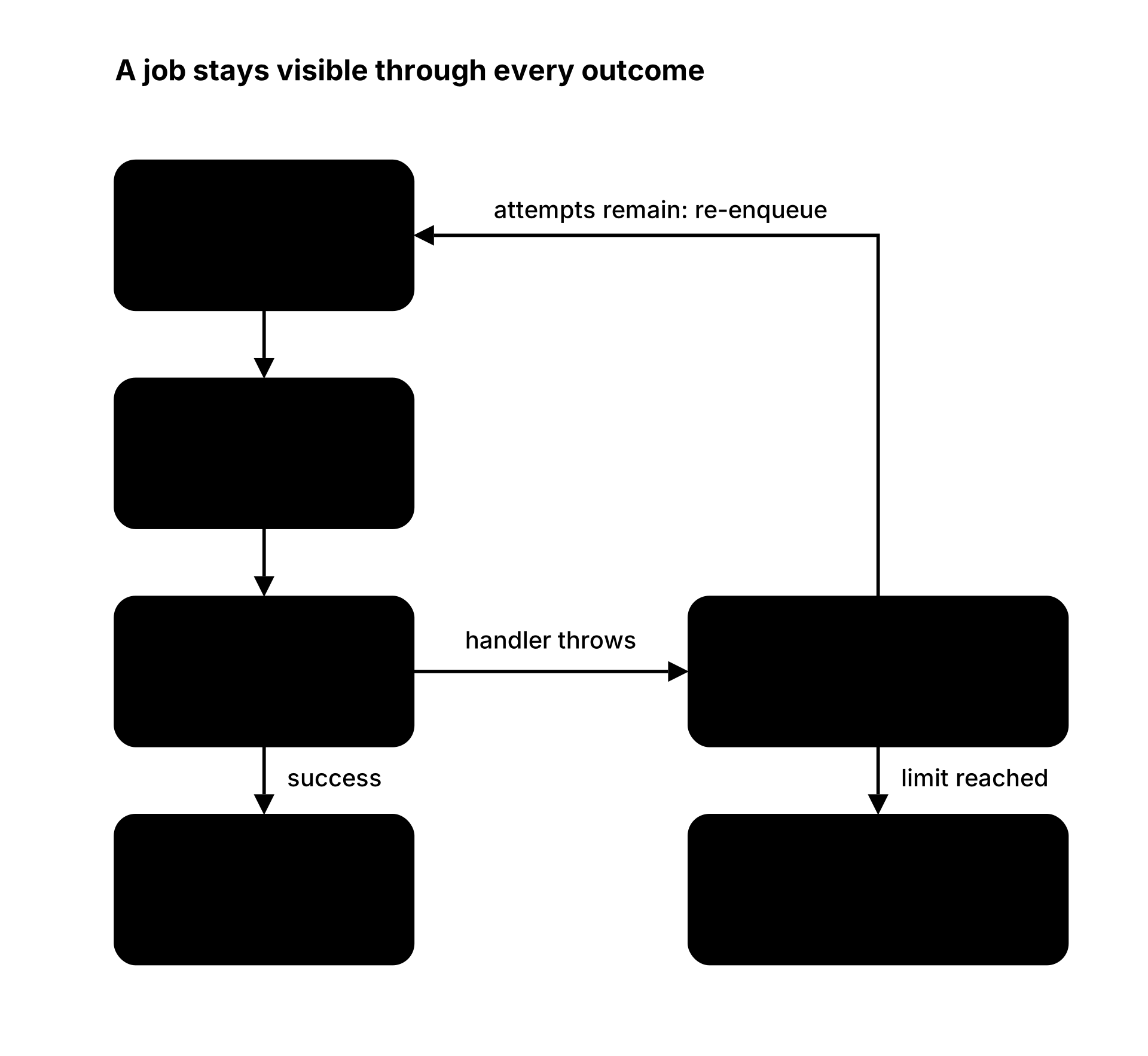
The queue model is simple: enqueue a job, a worker picks it up, the job runs. Failed jobs are retried up to a configurable limit, then moved to a dead-letter set for inspection.
import { enqueue } from "$queue/index";

// In a route handler - returns instantly
const job_id = await enqueue({
    type: "send_email",
    payload: { to: "user@example.com", subject: "Welcome", body: "..." },
});
A worker elsewhere in the process - or in a separate process - picks up the job and runs your handler:
import { start_worker, start_workers, init_queue } from "$queue/index";

init_queue(); // resolves the store: Redis if REDIS_ENABLED=true and REDIS_URL is set, SQL otherwise

start_worker("send_email", async (job) => {
    await send_mail(job.payload);
});

await start_workers(); // spawns the consume loop for every registered handler
Setup
No configuration is required - the SQL store backs the queue by default, using the jobs and queue_meta tables shipped in sql/{mysql,sqlite}/init/06-init-queue.sql. To use Redis instead, enable it and set the URL in your .env:
REDIS_ENABLED=true
REDIS_URL=redis://localhost:6379
Initialise the queue once at startup, before starting workers or enqueuing jobs:
import { init_queue } from "$queue/index";

init_queue();
// Queue is ready - workers can start, jobs can be enqueued
There is no in-flight job migration between stores - switching backends is a deliberate act: drain the old queue first, then switch and restart. If Redis is configured but unreachable, init_queue() logs a warning and keeps the store unavailable (enqueue() throws) rather than silently falling back to SQL.
Handlers live next to the resource they belong to, not all in one file: a route's workers.ts exports the handlers for that resource, and worker.ts imports and registers each workers.ts array. Handlers that aren't resource-scoped (email, translations, image variants) live in worker.ts's own core_workers array. A workers.ts must never import its sibling index.ts - that would drag the server's render/i18n/CRUD chain into the worker process.
Enqueuing Jobs
const job_id = await enqueue({
    type: "send_email",           // required - identifies the job handler
    payload: { to, subject },     // required - JSON-serialisable data
    queue?: "emails",             // optional - queue name, defaults to `type`
    max_attempts?: 5,             // optional - retries before dead letter (default 3)
    scheduled_for?: Temporal.Instant, // optional - run at a specific time
});
type- the job type identifier. Workers subscribe by type, sotypedetermines which handler runs. Convention is snake_case:send_email,generate_report,process_image.payload- the data the handler needs. Must be JSON-serialisable (plain objects, arrays, strings, numbers, booleans, null). Functions, symbols, and circular references will fail.queue- the named queue to use. Multiple job types can share a queue (a worker can processsend_email,send_sms, andsend_pushfrom the same queue). Defaults to the jobtype.max_attempts- how many times to retry before the job lands in the dead-letter set.scheduled_for- aTemporal.Instantfor delayed execution. Jobs scheduled for the future are stored in a sorted set and picked up by workers when their time comes.
The returned job_id is a UUID v7 string (time-ordered, from Bun.randomUUIDv7()). Save it if you need to inspect the job's status later.
Starting Workers
start_worker("send_email", async (job) => {
    await send_mail(job.payload);
}, {
    queue?: "emails",          // optional - queue to consume from (defaults to type)
    concurrency?: 3,           // optional - parallel workers (default 1)
});
Workers block on BRPOP waiting for jobs. Each concurrency slot opens a separate Redis connection (necessary because BRPOP blocks the connection until data arrives).
The handler receives the full Job object:
type Job = {
    id: string; // UUID v7
    type: string; // job type identifier
    queue: string; // queue name
    payload: any; // the data you enqueued
    status: "pending" | "running" | "completed" | "failed";
    attempts: number; // how many times it's been tried
    max_attempts: number; // retry limit
    error_message: string | null;
    created_at: number; // epoch ms
    last_run_at: number; // epoch ms
    scheduled_for: number; // epoch ms (0 for immediate)
};
If the handler throws, the job is retried. After max_attempts failures, it goes to the dead-letter set.
Worker Lifecycle
- A job becomes claimable (SQL:
scheduled_forhas arrived; Redis: it reaches the front of the list, or a delayed job's ZSET score is due). - A worker atomically claims it - SQL
UPDATE ... RETURNING/SELECT ... FOR UPDATE SKIP LOCKED, RedisBRPOP+HSET running+SADD queue:running- so exactly one worker ever owns a given job. - The handler executes. If it resolves, the job is marked
"completed". - If the handler throws, the job is either retried (back to
"pending") or sent to the dead-letter set ("failed") after exhaustingmax_attempts. - If the crash is unrecoverable (process dies mid-handler), the job is left
"running"until the orphan reaper re-enqueues it.
start_workers() spawns the consume loop for every handler registered via start_worker() - it's idempotent, so a second call while already running is a no-op (a hot reload that re-runs worker.ts won't double-spawn fibres). stop_workers(timeout_ms?) (default 30s) stops claiming new jobs, lets in-flight handlers finish, then resolves; on timeout it logs the still-busy queues and returns anyway - the reaper recovers those jobs later. worker_state() reports "running" | "draining" | "stopped". worker.ts wires stop_workers() up to SIGINT/SIGTERM so a deploy, a --hot file edit, or an operator pause all drain through the same code path.
In production, worker.ts runs as a separate process under systemd or PM2 - see PM2 for the ecosystem config that manages both the app server and the worker together.
start_worker() also takes a poll_interval_ms option (default 500) - how long the SQL store waits between claims when a queue is empty. Redis ignores it; it blocks on a bounded 1s BRPOP instead. Keep concurrency low against SQLite, which serializes writers.
Stuck Job Recovery
When a background worker crashes mid-job, the affected task remains trapped in a "running" state indefinitely. To recover it, a recovery process scans for tasks that have been running longer than a specified timeout period:
import { reap_orphans } from "$queue/index";

// Run once at startup to recover jobs from a previous crash
await reap_orphans(300_000); // 5-minute timeout (default)
This recovery function scans jobs still marked "running" (the queue:running Redis set, or the jobs table on the SQL store) and finds those with a stale last_run_at timestamp. It then increments their attempt count and puts them back into the active queue. Call this function once when the worker starts to clean up any lingering tasks from a prior crash.
Inspecting and Managing Queues
The queue module exposes inspection functions for building admin panels or debugging:
import {
    get_job, // Job | null - fetch one job by id
    get_failed_job_ids, // string[] - failed job ids for a queue
    get_pending_job_ids, // string[] - pending job ids for a queue
    queue_length, // number - count of pending jobs
    scan_queue_names, // string[] - discover active queue names
    retry_job, // boolean - reset a failed job and re-enqueue it
    is_worker_alive, // boolean - is a worker process currently running?
} from "$queue/index";
// Count pending email jobs
const pending = await queue_length("send_email");

// List failed jobs
const failed_ids = await get_failed_job_ids("send_email", 50);
for (const id of failed_ids) {
    const job = await get_job(id);
    console.log(job?.error_message);
}

// Retry a specific failed job
await retry_job(job_id);

// Check whether the worker process is alive
const alive = await is_worker_alive();
The worker writes its PID to the store via set_worker_heartbeat() on startup. is_worker_alive() reads the PID and verifies the process is still running via kill -0. get_worker_state() returns the last recorded lifecycle state (running / draining / stopped / dead) - this is what the admin UI shows.
Clearing Queues
For testing and maintenance, you can clear one or all queues:
import {
    clear_queue_pending, // clear only pending jobs
    clear_queue_failed, // clear only failed jobs
    clear_queue_delayed, // clear only scheduled jobs
    clear_queue_all, // clear pending + failed + delayed + running for one queue
    clear_all_queues, // clear everything across all queues
} from "$queue/index";

// Clear all failed email jobs
const cleared = await clear_queue_failed("send_email");
console.log(`Cleared ${cleared} failed jobs`);

// Nuclear option - clear everything
const result = await clear_all_queues();
console.log(`Cleared ${result.pending} pending, ${result.failed} failed, ${result.delayed} delayed`);
Admin UI
The reeman-generated /queues page (apps/reeman/queues/) shows pending and failed jobs per queue, worker liveness and lifecycle state, and a pause/resume toggle (POST /queues/pause) - pausing sets a flag in the store, not process memory, so it survives a worker restart (useful when you paused because a downstream service is down). It works against either backend.
Graceful Shutdown
worker.ts handles SIGINT/SIGTERM itself: it clears the heartbeat interval, awaits stop_workers() to drain in-flight jobs, then calls close_queue() and exits. A second signal mid-drain hard-exits. If you're driving the queue from your own process, the same sequence applies:
import { stop_workers, close_queue } from "$queue/index";

process.on("SIGTERM", async () => {
    await stop_workers();
    await close_queue();
    process.exit(0);
});
Any job still in-flight when a worker is killed without draining will be picked up by the orphan reaper on the next worker startup.
SQL Data Layout
The default store. sql/{mysql,sqlite}/init/06-init-queue.sql ships two tables:
jobs- one row per job. Columns mirror theJobtype (idUUID v7 PK,type,queue,payloadJSON text,status,attempts,max_attempts,error_message,created_at,last_run_at,scheduled_for), plusexpires_atfor the 24h TTL equivalent.scheduled_for > 0marks a delayed job; the claim query filters on it directly, so delayed jobs need no separate sweeper.queue_meta- a small key/value table holding the worker PID heartbeat and pause flag.
Expired rows are swept hourly by cleanup_expired_jobs(), scheduled from lib/bootstrap.ts (skipped when Redis backs the queue, since Redis expires job hashes natively).
Redis Data Layout
When Redis is enabled, the queue uses the following key patterns instead:
| Key | Type | Purpose |
|---|---|---|
job:{id} | Hash | Full job metadata (auto-expires after 24h) |
queue:{name} | List | Pending job IDs |
queue:{name}:delayed | ZSet | Scheduled job IDs (score = timestamp ms) |
queue:{name}:failed | ZSet | Permanently failed job IDs |
queue:running | Set | Job IDs currently being processed |
queue:worker:pid | String | Worker process PID for heartbeat |
All job hashes auto-expire 24 hours after creation, so temporary job data doesn't accumulate indefinitely even if you never explicitly clear queues.
Redis's delayed-job ZSET is written but not yet drained by a sweeper - a pre-existing limitation. Use the SQL store for delayed jobs until that lands.
When Not to Use the Queue
The queue is appropriate for:
- Sending transactional email (registration, password reset, notifications)
- Processing uploaded images (resizing, format conversion)
- Generating reports or exports asynchronously
- Webhook delivery with retries
The queue is not appropriate for:
- Real-time message delivery (use WebSockets or Server-Sent Events)
- Exactly-once processing (the queue guarantees at-least-once - a crash after the handler runs but before the store records
"completed"will cause a duplicate) - Very frequent, lightweight tasks (a
setIntervalin the same process is simpler and cheaper than enqueuing a job for every tick)