Rate Limiting
Rate limiting caps how many requests a single client can make within a time window, protecting authentication endpoints from brute force and the server as a whole from abuse. Reepolee implements it as the first middleware in the global chain (rate_limit_mw → set_locale → csrf_mw), so a throttled request is rejected before any locale resolution, CSRF check, or template work happens.
The implementation lives in lib/middleware/rate_limit.ts, the per-scope rules in config/rate_limit.ts, and a full test suite in lib/middleware/rate_limit.test.ts.
Enabling
Rate limiting is off by default. Turn it on with one environment variable:
RATE_LIMITING=true
In production two more requirements apply and the server refuses to boot without them:
RATE_LIMITING=true
TRUST_PROXY=cloudflare   # or "direct"
TRUST_PROXY tells the limiter how to find the real client IP for anonymous traffic (see Client Identity). The counter store is picked automatically: Redis when it is available (REDIS_ENABLED=true and a real REDIS_URL), otherwise the SQL database via the rate_limit_counters table. So rate limiting no longer requires Redis - a Redis-free install is a supported production configuration. When RATE_LIMITING is unset or false, rate_limit_mw() passes every request straight through.
The Sliding-Window Algorithm
Reepolee uses a sliding-window counter, which avoids the boundary-burst problem of fixed windows (where a client can send a full window's worth of requests at the end of one window and again at the start of the next) without the memory cost of a full log of timestamps.
Each request increments a per-window counter in the resolved store (Redis or SQL). The effective count is a weighted blend of the current and previous windows:
estimate = prev_count × weight + current_count
weight   = elapsed_in_current_window / window_size
This is O(1) memory per key and uses only INCR (atomic, provides first-increment semantics) plus a GET of the previous window's count - no MULTI or MGET needed. Keys follow the pattern rl:{scope}:{identity}:{window_start_epoch} and are given a TTL of 2 × window_size so they clean themselves up.
Scopes and Tiers
Different endpoints get different limits. The tiers are defined in config/rate_limit.ts:
| Scope | Limit | Applies to |
|---|---|---|
login | 5 / 60s | POST /login |
register | 3 / 60s | POST /register/* |
password | 5 / 60s | POST /password |
invite | 10 / 60s | POST /invite |
validation | 30 / 60s | client-side validation endpoints (*/validate) |
image_transform | 60 / 60s | GET image transforms on S3-mounted paths (?width/?height/?longest/?format) |
global | 300 / 60s | every other state-changing request |
resolve_scope() picks the tier in priority order: (1) anything ending in /validate gets the validation tier, (2) exact matches for /login, /password, /invite, (3) prefix match for /register/*, (4) everything else state-changing falls back to global. Image transforms are GET requests, so they bypass resolve_scope() and are throttled directly by the image pipeline against the image_transform scope - they decode, re-encode, and write derived cache objects back to the bucket, so they're limited per identity even though they're GETs.
Edit config/rate_limit.ts to change a limit, add a window, or tune a tier for your traffic:
export const rate_limit_rules: Record<RateLimitScope, RateLimitRule> = {
    global: { max: 300, window_s: 60 },
    login: { max: 5, window_s: 60 },
    register: { max: 3, window_s: 60 },
    password: { max: 5, window_s: 60 },
    invite: { max: 10, window_s: 60 },
    validation: { max: 30, window_s: 60 },
};
Client Identity
extract_identity() is hybrid:
- Authenticated users are keyed by their session cookie (
sid), so the limit follows the account across IPs. - Anonymous users are keyed by IP, and how that IP is found is decided by
TRUST_PROXY:TRUST_PROXY=cloudflarereads theCF-Connecting-IPheader - only correct when Cloudflare is the only path to the origin and the origin firewall blocks direct traffic, so the header cannot be spoofed.TRUST_PROXY=directreads the socket peer address (no proxy in front) - correct for LAN / direct-to-origin deployments.
- With no trusted proxy configured, anonymous callers collapse into a single shared bucket (
ip:untrusted-proxy) - a deliberate fail-closed default. Production refuses to boot in this state.
Client-supplied forwarding headers (X-Forwarded-For, X-Real-IP) are never trusted unless you explicitly opt into a trusted-proxy mode. See Reverse Proxy.
The 429 Response
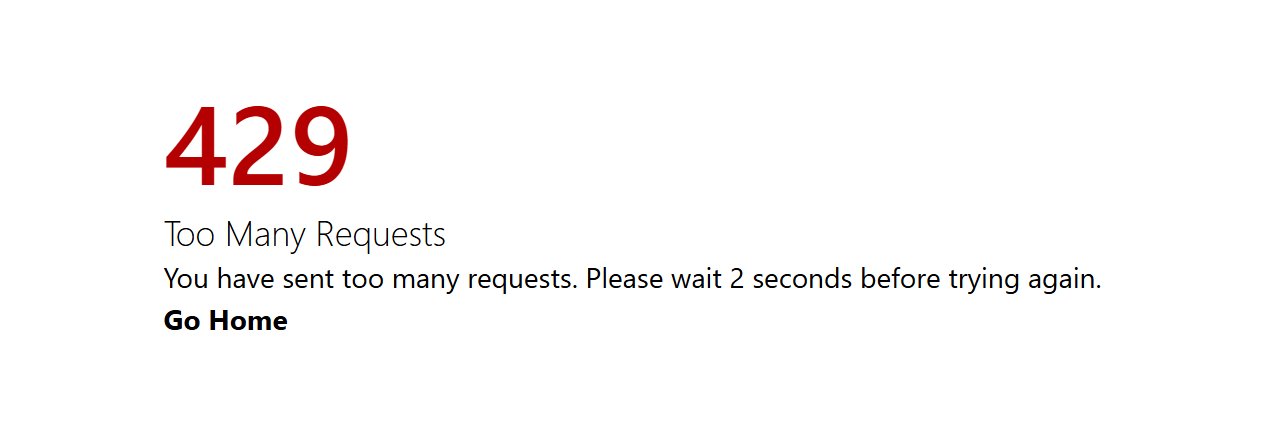
When a client exceeds its limit, rate_limited_response() returns HTTP 429 with rate-limit headers. The body format depends on the Accept header - JSON for API clients, a small inline HTML page for browsers. The middleware runs before set_locale and the template engine, so the 429 path has no template dependency.
Headers are sent only on 429 responses (not on allowed requests):
| Header | Meaning |
|---|---|
Retry-After | Seconds until the client may retry |
X-RateLimit-Limit | The tier's max |
X-RateLimit-Remaining | Always 0 on a 429 |
X-RateLimit-Reset | Epoch second when the window resets |
Testing
rate_limit_mw() accepts an optional RateLimitStore for dependency injection, and the RateLimitStore interface (incr, expire, get) is exported from the middleware. This lets the test suite exercise the sliding-window logic with a fake store - no real Redis or SQL and no mocking of Bun's built-in redis:
import { rate_limit_mw, type RateLimitStore } from "$lib/middleware/rate_limit";

const fake: RateLimitStore = {
    /* incr / expire / get */
};
const mw = rate_limit_mw(fake);
The two concrete stores live in lib/middleware/rate_limit_store.ts (resolver) with rate_limit_store_redis.ts and rate_limit_store_sql.ts backing the Redis and SQL paths. Expired counters are swept every 5 minutes on the SQL path; Redis expires its own keys.