Invitations & Registration
Reepolee's authentication is invite-only - there's no public sign-up page. An admin creates an invitation for a specific email address, the system generates a unique link, the admin shares the link with the invited person, and the invited person visits the link to set a name and password. At that point the account is verified and the user is logged in.
The flow lives in two route folders: platform/auth/invite/ (the admin side) and platform/auth/register/ (the invited user side). Both end at the same place - a complete users row with verified_at set and a fresh session.
Why Invite-Only
Most business applications don't need anonymous sign-up - they need a way to add people to a system where someone is responsible for who's in. Invite-only authentication makes that responsibility explicit:
- There's always a human in the loop. An admin decides who gets in. Sign-up forms don't need anti-spam, captcha, or abuse mitigation.
- The user model is simpler. No "pending verification" emails, no email-confirmation tokens to track separately, no recovery flow for users who never finished signing up.
- The default is secure. A misconfigured deployment doesn't accidentally expose a public sign-up form, because there isn't one to expose.
For applications that genuinely need self-service registration - a SaaS product, a community site - the existing invite flow is straightforward to adapt: replace the admin guard on /invite with rate-limited public access and the rest of the flow stays the same.
Creating an Invitation
An admin visits /invite. The form has a single field - the email address to invite. Submitting it:
- Validates the email is non-empty and not already in use. A user record with the same email returns a "user already exists" error.
- Creates a new user row with the email, a
crypto.randomUUID()invitation code, and the default modules string ("user"). The user has nohashed_passwordand noverified_at, so they can't log in yet. - Redirects to
/invite/confirm/<invitation_code>- a page that displays the registration link the admin should share with the invited person.
The handler is guarded by require_module("admin"):
export async function post_auth_invite(req: BunRequest): Promise<Response> {
    const auth_ctx = await resolve_session(req);
    const guard = require_module(auth_ctx, "admin");
    if (guard) return guard;

    const ctx = await create_ctx(req, import.meta.dir);
    const params = new URLSearchParams(await req.text());
    const email = params.get("email")?.trim().toLowerCase() || "";

    if (!email) {
        return render("auth/invite/form", {
            /* re-render with email_required error */
        });
    }

    const existing = await get_user_by_email(email);
    if (existing) {
        return render("auth/invite/form", {
            /* re-render with email_exists error */
        });
    }

    const invitation_code = crypto.randomUUID();
    await create_invited_user(email, invitation_code);

    return new Response(null, {
        status: 303,
        headers: { Location: `/invite/confirm/${invitation_code}` },
    });
}
The Invitation Link
The confirm page (/invite/confirm/:token) looks up the invitation code, formats the registration URL, and displays it for the admin to copy or share:
/register/user@example.com/550e8400-e29b-41d4-a716-446655440000
The URL embeds the email and the invitation code as path segments. The email is in plain text - invitation codes aren't a secret that hides the recipient, they're a single-use credential that pairs a user with an email address. The code is what makes the link valid; the email lets the registration form pre-fill the email field for the invited user.
There is no expiry on the invitation code itself. The link is valid until the invited user completes registration, at which point verified_at is set and any further visit to the same URL is rejected as already-used. If you want time-limited invitations, store a valid_until timestamp on the user row and check it in get_user_by_invitation_code().
The link is shared out-of-band - over Slack, email, in person, whatever your team uses. Reepolee doesn't send the invitation email automatically because there is no built-in assumption that you have outbound email configured. Add it where it fits your workflow:
import { send_mail } from "$lib/smtp";

await create_invited_user(email, invitation_code);
await send_mail({
    to: email,
    subject: ctx.translations.invitation_subject,
    body: ctx.translations.invitation_body,
    html: `<p>You've been invited. <a href="${url}/register/${email}/${invitation_code}">Complete registration.</a></p>`,
});
See Sending Email.
Completing Registration
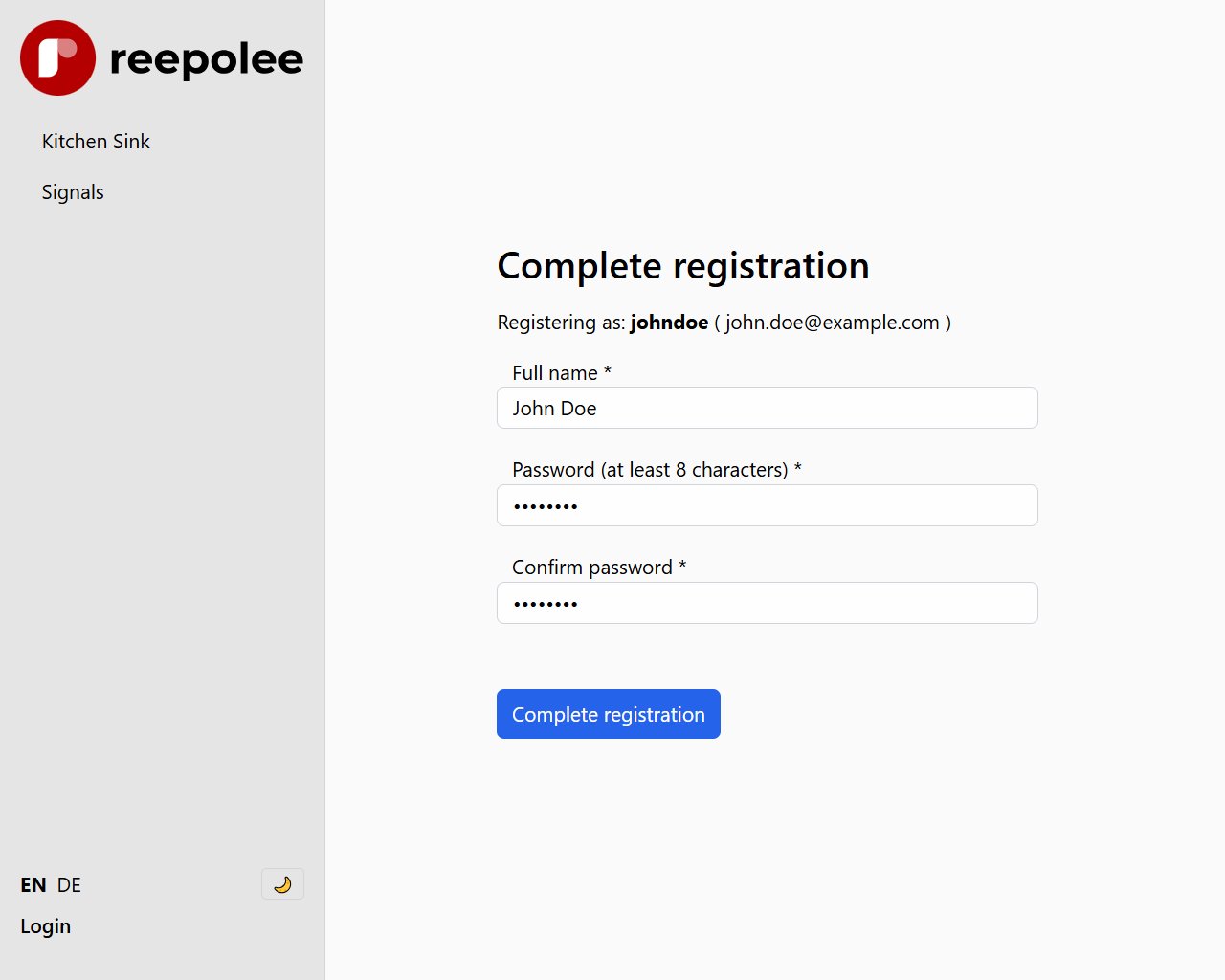
The invited user clicks the link and lands on /register/:email/:invitation_code. The handler:
- Looks up the user by invitation code. If no user matches, or the email in the URL doesn't match the user's email, the form renders with a generic "invalid link" error.
- Checks
verified_at. If the user is already verified, the form renders with an "already used" error. Invitation codes are single-use. - Renders the registration form with the email pre-filled and read-only. The user supplies a name and a password (twice for confirmation).
On POST:
const [errors, valid_data] = validate(data, ctx.translations.errors);
if (Object.keys(errors).length > 0) {
    return render("auth/register/form", {
        /* re-render with errors */
    });
}

const user = await get_user_by_invitation_code(invitation_code);
const hashed_password = await Bun.password.hash(data.password);
const updated = await verify_and_register_user(user.id, data.name, hashed_password);

const session_cookie = await create_user_session(updated);
const headers = new Headers({ Location: "/" });
headers.append("Set-Cookie", session_cookie.toString());
return new Response(null, { status: 303, headers });
verify_and_register_user(id, name, hashed_password) updates the user row with the name, the hashed password, and a verified_at timestamp set to now. From that moment forward, the account is a regular user - the invitation code stays in the database for auditability but is no longer usable for registration.
Password Confirmation
The form has two password fields: password and password_confirm. The Zod schema in validation_server.ts cross-checks them with a .refine():
export const schema = z
    .object({
        name: z.string().min(1, "name_required"),
        password: z.string().min(MIN_PASSWORD_LENGTH, "password_too_short"),
        password_confirm: z.string(),
    })
    .refine((data) => data.password === data.password_confirm, {
        path: ["password_confirm"],
        message: "passwords_dont_match",
    });
The error attaches to password_confirm, so the per-field validation shows the message under the second password field where the user can fix it.
Changing the Default Modules
create_invited_user(email, invitation_code) writes a row with modules_tags = "user". To support per-invitation modules - invite some users as admins, some as regular users, some as billing-only - extend the invite form with a module selector and pass it through:
const modules_tags = params.get("modules_tags") || "user";
await create_invited_user(email, invitation_code, modules_tags);
Then update create_invited_user in platform/auth/sql.ts to accept and persist the modules string. The rest of the flow handles it transparently - the session reads it, the authorization checks read it.
Auditing Invitations
Because invitations create real user rows, every invitation is visible in the users table. Filtering by verified_at IS NULL gives you the list of pending invitations; joining with whatever audit log you keep gives you a history of who invited whom and when.
For a richer audit trail - "this admin invited this user at this time, and the user accepted at this time" - add invited_by_user_id, invited_at, and registered_at columns to the users table. The invite handler writes invited_by_user_id = auth_ctx.session!.user_id and invited_at = now when creating the row; the register handler writes registered_at = now when verifying. None of the rest of the flow has to change.