Authentication
Reepolee ships with a complete, invite-only authentication system. There is no open registration - every account is created by an admin who sends an invitation to a specific email address. The invited user visits a unique registration link, sets a name and password, and is logged in immediately.
This page covers the runtime side of authentication: how sessions are stored, how the login flow works, and how the active user becomes available in your templates and route handlers. The other pages in the Security section cover the rest:
- Authorization - protecting routes with middleware and function guards, the modules model
- Invitations & Registration - sending invitations and completing registration
- Profile & Password - letting users manage their own account
Sessions
A session is a record in the sessions table keyed by a UUID. The UUID is sent to the browser in an HttpOnly, SameSite=Lax cookie named sid. The cookie has a 7-day maximum age; the session record has the same TTL enforced server-side. See Sessions & KV for the storage details.
The session payload carries enough about the user to render most pages without an extra database query:
export interface Session_data {
    user_id: number;
    email: string;
    name: string;
    nickname: string;
    avatar_filename: string;
    display_name: string;
    modules_tags: string; // comma-separated module codes, e.g. "user,admin"
    created_at: number;
}
Resolving the Session
resolve_session(req) from $platform/auth/middleware reads the cookie, looks the session up in the database, checks it hasn't expired, and returns an Auth_context:
export interface Auth_context {
    session_id: string | null;
    session: Session_data | null;
    /** Convenience object safe to spread into render() data. */
    current_user: User_public | null;
}
resolve_session() never throws. If there's no cookie, no matching session, or the session has expired, you get back an Auth_context with session: null and current_user: null. Your handler decides what to do with that - guard the route, render a logged-out view, or proceed.
The render layer calls resolve_session() automatically when you pass ctx to render(), so every template gets props.user filled in (or null if no session). You don't have to do anything in the handler:
{#if props.user }
    <span>Hello, {= props.user.display_name }</span>
    <form method="POST" action="/logout">
        <button>Log out</button>
    </form>
{:else}
    <a href="/login">Log in</a>
{/if}
display_name is computed from the user's nickname → name → email in that order, so it's never empty. props.user.modules_tags is the comma-separated module-code string for that user - checking it client-side is fine for showing/hiding navigation, but never rely on it for actual access control. That's Authorization's job.
The Login Flow
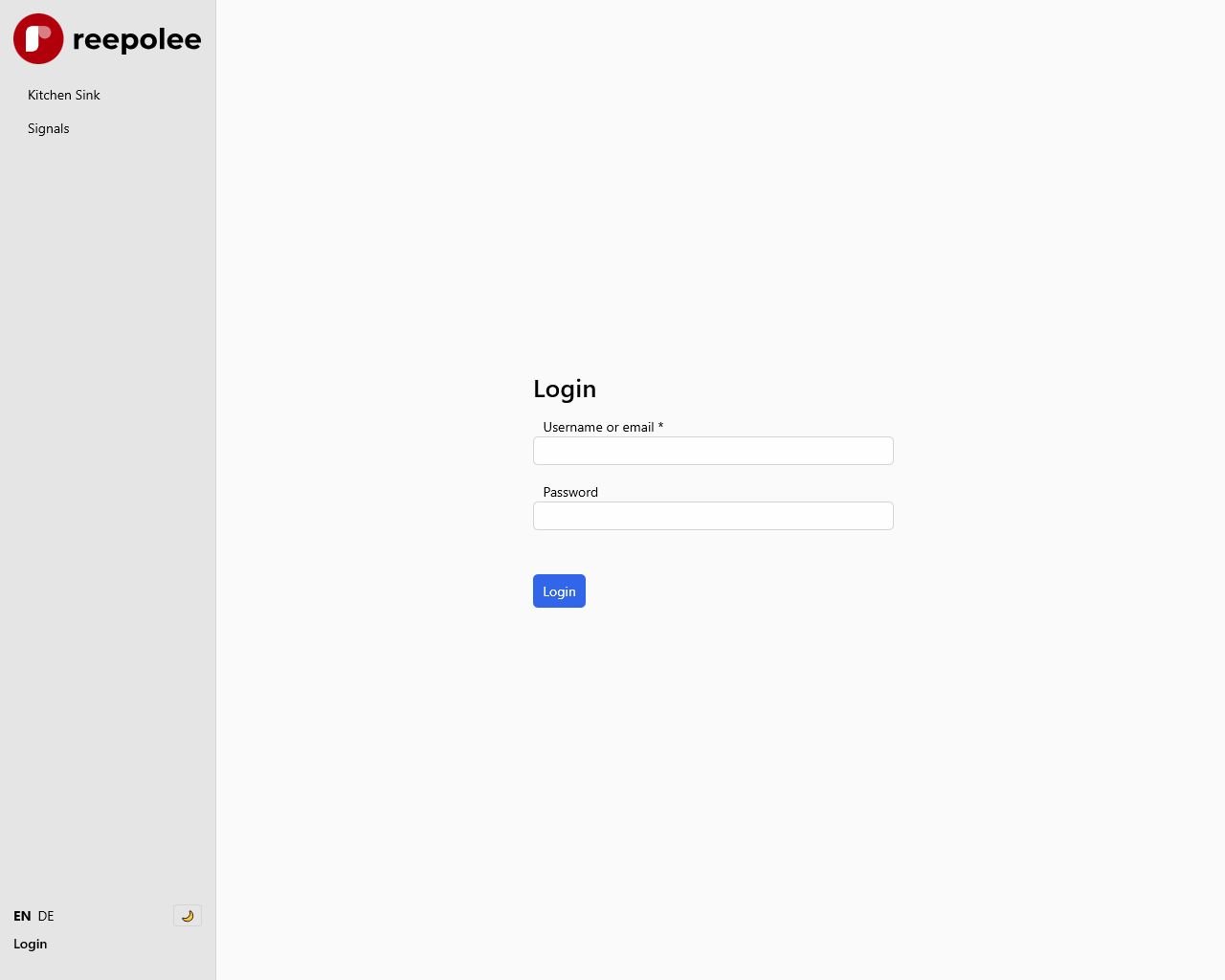
POST /login runs through these steps:
- Reads the form body and runs validation. Empty email or password re-renders the form with errors.
- Looks up the user by email (lowercased). Missing user, missing
hashed_password, or unverified account all surface the same generic error -"Invalid email or password"- to avoid leaking which addresses exist. - Verifies the password with
Bun.password.verify(submitted, hashed). Bun handles bcrypt (and argon2) natively - no library to install. - Creates a session via
create_user_session(user)and returns a303 See Otherredirect to/with thesidcookie attached.
The handler shape, condensed:
const user = await get_user_by_email(data.email);
if (!user || !user.hashed_password || !user.verified_at) {
    return render("auth/login/form", {
        data: { form_error: ctx.translations.errors.invalid_email_or_password },
        ctx,
    });
}

const password_valid = await Bun.password.verify(data.password, user.hashed_password);
if (!password_valid) {
    return render("auth/login/form", {
        data: { form_error: ctx.translations.errors.invalid_email_or_password },
        ctx,
    });
}

const session_cookie = await create_user_session(user);
const headers = new Headers({ Location: "/" });
headers.append("Set-Cookie", session_cookie.toString());
return new Response(null, { status: 303, headers });
create_user_session() lives in $platform/auth/helpers and does three things: generate a session UUID, write the session record, and build the Set-Cookie header value.
The Logout Flow
Logout always uses POST - GET would let any link or image preload sign the user out. The handler reads the session ID from the cookie, deletes the session record, sends back a Clear-Site-Data header, and redirects to login:
export async function post_auth_logout(req: BunRequest): Promise<Response> {
    const session_id = get_session_id_from_request(req);
    if (session_id) {
        await destroy_session(session_id);
    }

    const headers = new Headers({
        Location: "/login",
        "Clear-Site-Data": "cache, storage",
    });
    headers.append("Set-Cookie", build_clear_cookie().toString());

    return new Response(null, { status: 303, headers });
}
Clear-Site-Data tells the browser to clear cached responses and storage for the origin - useful when an account ends and you want the next person on that browser to start fresh. build_clear_cookie() returns a cookie with the same name and a Max-Age=0, which expires the existing cookie immediately.
Password Hashing
Bun.password.hash(password) produces a hash you store in the users.hashed_password column. Bun.password.verify(submitted, stored) checks a submitted password against the stored hash. Both are async:
const hashed = await Bun.password.hash(plain_password);
const valid = await Bun.password.verify(submitted_password, hashed);
By default Bun uses argon2id with sensible parameters - a strong choice that doesn't need configuration. If you ever need to change the algorithm, both functions accept an options object with an algorithm field; the new hash format is self-describing, so old and new hashes coexist in the same column.
The minimum password length is enforced in your validation schema, not at the hashing layer. The default in config/db_structure.ts is 8 characters in production and 1 in development (so test accounts are easy to create) - see Generators.
The Seeded Admin Account
When you initialise the database for the first time, your schema file (sql/sqlite/01-init-sqlite.sql or sql/mysql/01-init-mysql.sql) seeds an admin user. The default seed:
INSERT INTO users (id, email, invitation_code, modules_tags) VALUES
    (1, 'you@example.com', 'invite123', 'user,admin');
The user has no hashed_password and no verified_at - so they can't log in. To complete registration, visit:
/register/you@example.com/invite123
Set a password and you're in.
Agent Mode (Automation & Impersonation)
The --agent flag puts the dev server into a headless mode for automation - driving the app with curl, browser-use, or an LLM agent without going through the login form. It works by impersonating a real user: instead of resolving a session from the sid cookie, resolve_session() looks up a user by username and returns a session for them.
# Start the main app impersonating a user
AGENT_USER_USERNAME=admin AGENT_SERVER_PORT=2500 bun run agent

# In another terminal, hit a protected route - no login or CSRF token needed
curl http://localhost:2500/system/users -H "X-Agent-User-Username: admin"
# Start the main app impersonating a user
$env:AGENT_USER_USERNAME = "admin"
$env:AGENT_SERVER_PORT = "2500"
bun run agent

# In another PowerShell window, hit a protected route
Invoke-WebRequest -Uri "http://localhost:2500/system/users" -Headers @{ "X-Agent-User-Username" = "admin" }
Identity is resolved in priority order - first non-empty wins:
| Priority | Source | Example |
|---|---|---|
| 1 | X-Agent-User-Username request header | curl -H "X-Agent-User-Username: admin" ... |
| 2 | AGENT_USER_USERNAME env var | AGENT_USER_USERNAME=admin bun run agent |
| 3 | (fallback) | Continues anonymous - protected routes redirect to login |
Each app has its own command and required dedicated port:
| Target | Command | Required port variable |
|---|---|---|
| Main | bun run agent | AGENT_SERVER_PORT |
| Reeman | bun run agent:reeman | AGENT_REEMAN_SERVER_PORT |
| ReeQA | bun run agent:reeqa | AGENT_REEQA_SERVER_PORT |
| Main + Reeman | bun run dev:all:agent | AGENT_SERVER_PORT and AGENT_REEMAN_SERVER_PORT |
dev:all:agent does not start ReeQA; run bun run agent:reeqa separately when automation needs it.
The username is looked up with get_user_by_username(); if the user exists, resolve_session() returns a session carrying their User_public data, so every guard and template sees them as logged in. The header taking priority over the env var lets one agent server impersonate different users per request. When AGENT_SECRET is set, a request that supplies X-Agent-User-Username must also supply the matching X-Agent-Secret. An invalid or missing secret makes that request anonymous and does not fall back to AGENT_USER_USERNAME.
What changes in agent mode:
| Concern | Normal | Agent mode |
|---|---|---|
| CSRF | Double-submit cookie token on POST/PUT/DELETE | Disabled - csrf_mw() excluded from the pipeline |
| Session cookie | sid cookie required | Bypassed - header or env var provides identity |
| Auth | Login flow → session store | X-Agent-User-Username header or AGENT_USER_USERNAME env |
Because it removes the login wall, agent mode is locked down hard:
- Dev-only.
--agentis allowed only together with--dev; running it in production exits immediately with an error. - Localhost-only. The agent server binds exclusively to
127.0.0.1, never0.0.0.0- only processes on the same machine can reach it. - Dedicated ports. Each app exits when its agent port is missing instead of falling back to its normal development port.
Never expose an agent port through a reverse proxy, tunnel, container port mapping, or other network listener. Use a dedicated development database and the least-privileged user that can exercise the target route.
API Summary
The auth runtime exposes a small set of functions that show up across handlers. The full source for each is in platform/auth/:
| Function | Source | Purpose |
|---|---|---|
resolve_session(req) | platform/auth/middleware.ts | Reads cookie, returns Auth_context |
require_auth(ctx, req?) | platform/auth/middleware.ts | Returns redirect Response if not authed |
require_module(ctx, module_code) | platform/auth/middleware.ts | Returns redirect/403 if module missing |
require_auth_mw() | lib/middleware | Middleware wrapper for require_auth |
require_module_mw(module_code) | lib/middleware | Middleware wrapper for require_module |
create_user_session(user) | platform/auth/helpers.ts | Creates session, returns Set-Cookie value |
destroy_session(session_id) | platform/auth/session_store.ts | Deletes the session record |
refresh_session(id, partial) | platform/auth/session_store.ts | Updates the session in place |
When and how to use each guard is covered in Authorization.