Forms
Forms are where most Reepolee applications spend their time - creating, editing, validating, and saving records. Reepolee's forms are deliberately conventional: native HTML elements, server-rendered markup, a POST handler that processes the submission, and a redirect when it succeeds. Everything works without JavaScript. Live field validation and toast feedback are progressive enhancements layered on top.
This page is the orientation. Each piece of the picture has its own page in this section:
- Input Components - the typed
.reecomponents that render every standard form field - Validation - Zod schemas, error translation, and live per-field validation with
FormController - Toast Notifications - confirming saves and surfacing errors after a redirect
- File Uploads - multipart forms,
req.formData(), and the avatar pattern
Anatomy of a Form Route
A form lives in a route folder alongside its templates, queries, and validation. For a users resource, the folder contains a form.ree template, an index.ts with the handlers, a sql.ts with the database calls, and a schema/ directory with the validation:
apps/main/users/
|-- config.ts
|-- schema.generated.ts
|-- validation_server.ts
|-- form.ree
|-- index.ts
`-- sql.ts
The handlers split GET and POST. GET renders the empty (or pre-populated) form; POST processes the submission, runs validation, and either re-renders the form with errors or redirects on success:
// apps/main/users/index.ts
export async function get_users_new(req: BunRequest): Promise<Response> {
    const ctx = await create_ctx(req, import.meta.dir);
    return render("users/form", {
        data: { record: {}, errors: {}, action: "/users" },
        ctx,
    });
}

export async function post_users_index(req: BunRequest): Promise<Response> {
    const ctx = await create_ctx(req, import.meta.dir);
    const params = new URLSearchParams(await req.text());
    const data = {
        email: params.get("email")?.trim() || "",
        name: params.get("name")?.trim() || "",
    };

    const [errors, valid_data] = validate(data, ctx.translations.errors);
    if (Object.keys(errors).length > 0) {
        return render("users/form", {
            data: { record: data, errors, action: "/users" },
            ctx,
        });
    }

    await create_record(valid_data);
    return Response.redirect("/users", 303);
}
The same form.ree template handles both create and edit. When props.record.id exists it's an edit; when it doesn't it's a new record. The action field tells the template which URL to submit to.
Anatomy of a Form Template
A typical form template stitches together a layout, the form element, a set of input components, and a submit button:
{#layout('layout') }

<form id="edit-form" method="POST" action="{= props.action }">
    <input type="hidden" name="_return_url" value="{= props.request_url }" />

    <field-wrapper class="grid">
        <label class="px-3" for="email">{_ fields.email.label }</label>
        <input type="email" id="email" name="email" value="{= props.record.email }" />
        <validation-error class="mt-1" id="error-email"></validation-error>
    </field-wrapper>

    <field-wrapper class="grid">
        <label class="px-3" for="name">{_ fields.name.label }</label>
        <input type="text" id="name" name="name" value="{= props.record.name }" />
        <validation-error class="mt-1" id="error-name"></validation-error>
    </field-wrapper>

    {#if props.form_errors }
    <app-banner type="red">{= props.form_errors }</app-banner>
    {/if}

    <button type="submit" class="primary">Save</button>
</form>

<script src="/form-controller.js" defer></script>
<script>
    document.addEventListener("DOMContentLoaded", () => {
        new FormController({
            form: "#edit-form",
            validate_url: "{= props.action }/validate",
        });
    });
</script>
A few things to notice:
method="POST"andaction="{= props.action }"match what the route handler expects. The handler reads the body withreq.text()and parses it withURLSearchParams._return_urlcarries the URL the user came from so the handler can redirect back after a save. Always validate this on the server before using it as a redirect target - see Requests & Responses.- The inlined fields read the current value from
props.record.<field>. Per-field errors are written byFormControllerinto the matching<validation-error id="error-{name}">element. The convention is the same for every field. (Generated forms inline this markup; see Input Components.) FormControlleris initialised at the bottom and binds live validation. It posts touched fields tovalidate_url, writes errors into<validation-error>elements, and blocks form submission when there are validation errors.
The Three Handlers Behind Every Form
A fully wired CRUD form has three route entries - GET, POST, and a JSON validate endpoint:
"/users": {
    GET: get_users_index,
    POST: post_users_index,
},
"/users/new": get_users_new,
"/users/validate": {
    POST: post_users_validate,
},
"/users/:id/edit": {
    GET: get_users_edit,
    POST: post_users_edit,
},
GET /users/newrenders the empty form.POST /usersprocesses the create.GET /users/:id/editrenders a populated edit form.POST /users/:id/editprocesses the update or, when the body includes_action=delete, the deletion. See Controllers for the_actionconvention.POST /users/validateis the JSON endpoint thatFormControllerhits on every blur. It runs the same Zod schema and returns{ success, errors }.
The generator writes all of these in one go - bun reeman crud users produces the complete form, validation, and route wiring from your database schema.
What Happens on Submit
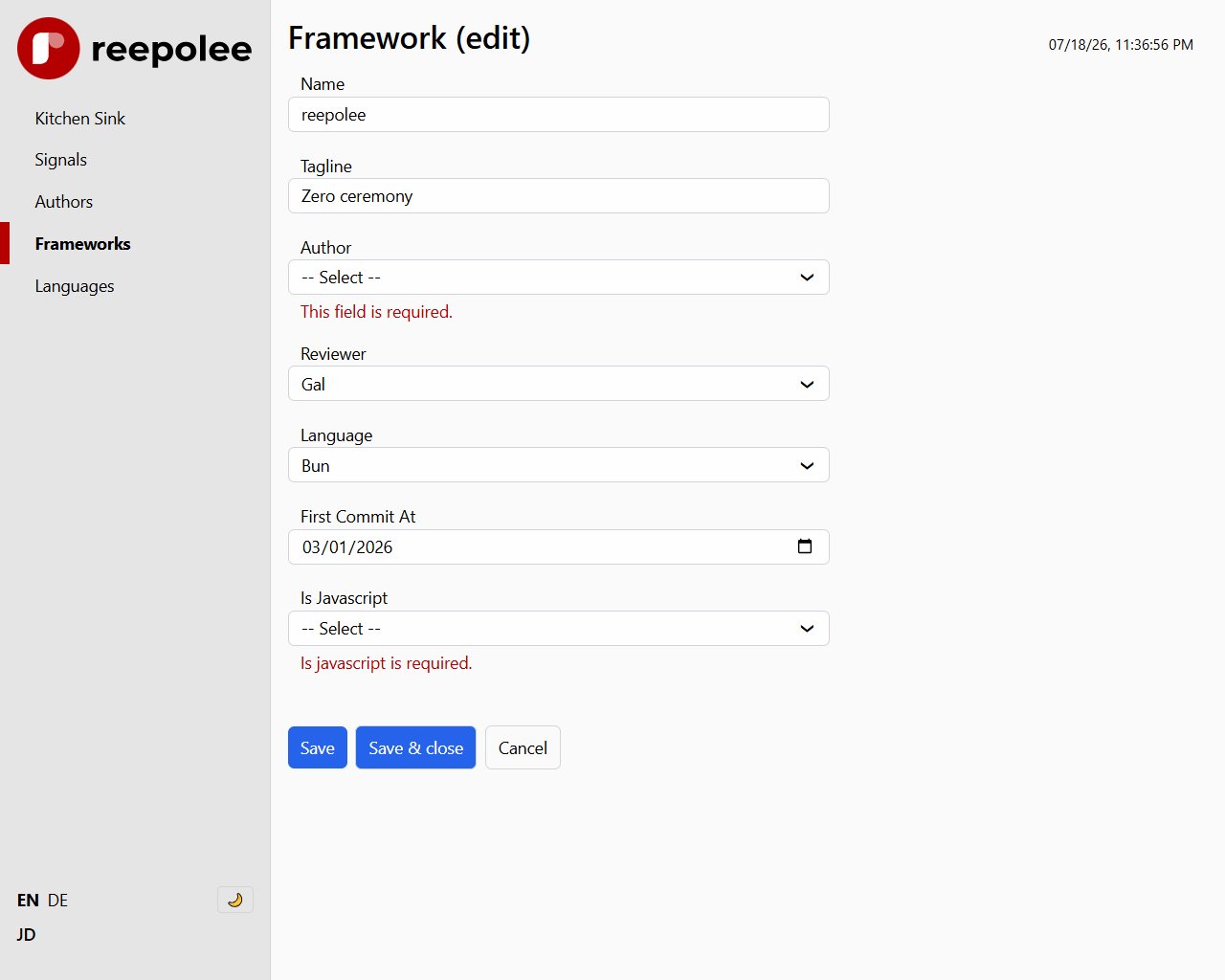
The end-to-end flow when a user clicks "Save":
FormControllerintercepts the submit event and posts all touched fields to the validate endpoint.- If the server returns errors,
FormControllerwrites them into the<validation-error>elements and the native submit never fires. - If validation passes, the form submits natively (a real
POSTtoprops.action). - The server-side
POSThandler re-runs the same validation. The check exists in two places on purpose - the client check is a UX nicety, the server check is the source of truth. - On success, the handler writes to the database, attaches a toast cookie to the response, and returns a
303 See Otherredirect. - The browser follows the redirect with a
GET. The next page render reads the toast cookie, displays the notification, and expires the cookie.
If validation fails on the server (because the user disabled JavaScript or FormController couldn't reach the validate endpoint), the handler re-renders form.ree with the errors filled in. The same template handles both first-render and error-render - there is no separate "error page" to maintain.