S3 Image Serving
Reepolee's S3 integration serves uploaded images directly through your application via the proxy in lib/s3/proxy.ts, re-exported through lib/s3.ts. Rather than linking directly to an S3 bucket URL (which would expose your bucket name and require CORS configuration), the application serves images from paths like /images/avatars/uuid.webp - the same URL structure as local storage, but backed by S3 transparently.
The S3 proxy supports on-the-fly image transformation via URL query parameters:
/images/avatars/abc123.jpg?width=200&format=webp
This takes the stored JPEG original, resizes it to 200px wide, and converts it to WebP, caching the smaller delivery variant back to S3 for subsequent requests. The original file on S3 is never modified.
Storage Modes
The STORAGE environment variable controls whether files are stored locally or in S3:
STORAGE | Behaviour |
|---|---|
s3 | Files saved to S3. Requires S3 credential env vars. |
local | Files saved to LOCAL_STORAGE_DIR. Does not require S3. |
| unset (default) | Auto-detect S3 credentials; otherwise use LOCAL_STORAGE_DIR when configured. |
# S3 mode
STORAGE=s3
S3_ACCESS_KEY_ID=your_access_key
S3_SECRET_ACCESS_KEY=your_secret_key
S3_HOSTNAME=s3.eu-west-1.amazonaws.com
S3_PROTOCOL=https
S3_REGION=eu-west-1

# Local mode
STORAGE=local
LOCAL_STORAGE_DIR=./storage
In local mode, the server's fallback handler serves registered mount paths from LOCAL_STORAGE_DIR using the same public URL structure. The S3 proxy itself returns without handling the request when S3 is not configured.
Registering an S3 Mount
To serve files from a specific S3 bucket at a URL path, register a mount at module level:
import { register_s3_mount } from "$lib/s3";

// Serve files from S3 bucket "users" with prefix "avatars/" at URL "/avatars/"
register_s3_mount({
    url_prefix: "/avatars/",
    bucket: "users",
    key_prefix: "avatars/", // optional - defaults to url_prefix with leading /
    immutable: true, // set Cache-Control: immutable for UUID-based filenames
});
Once registered, any request to /avatars/uuid.webp is proxied from S3 bucket users with key avatars/uuid.webp. The response includes the appropriate Content-Type from the stored object and a cache header (one year for immutable mounts, one hour for mutable ones).
Mounts are matched by longest prefix first, so /avatars/ always beats a catch-all mount.
On-the-Fly Image Transforms
Any S3-served image can be transformed at request time by adding query parameters to the URL:
?width=200                    Resize to fit 200px wide
?height=150                   Resize to fit 150px tall
?longest=400                  Resize so the longest side is 400px
?format=webp                  Convert to WebP (also: jpeg, png, avif)
?width=200&format=webp        Combine resize + format conversion
Request-time transforms use Bun's native Bun.Image pipeline, not libvips. Upload-time processing remains a separate libvips pipeline because it supports cropping as well as resizing and format conversion. The request-time result is cached back to S3 under a deterministic key, so subsequent requests return the cached object without reprocessing it.
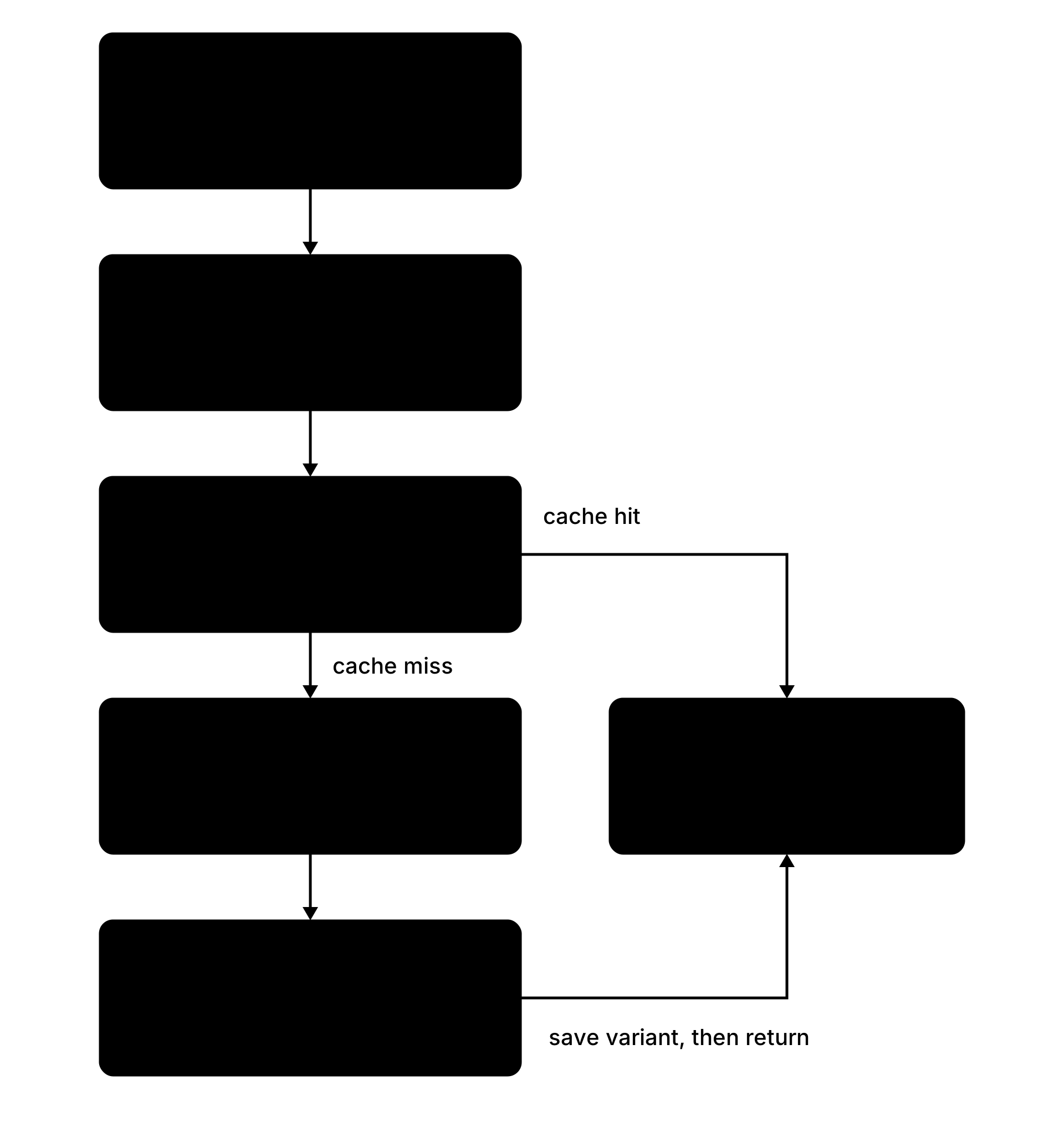
How transforms work step by step
- Client requests
/images/avatars/abc123.jpg?width=200&format=webp. - S3 proxy parses the query params and computes a cache key:
avatars/abc123__w200.webp(double underscore separator). - The proxy checks S3 for the cached file. If found, it returns that object without transforming the image again.
- Cache miss: proxy fetches the original
avatars/abc123.jpgfrom S3. Bun.Imageresizes to 200px wide and encodes as WebP (quality 85).- The transformed bytes are saved to S3 at the cache key and returned to the client.
- Subsequent requests hit step 3 and return the cached file.
Transform parameter reference
| Parameter | Values | Example |
|---|---|---|
width | 1–4096 | ?width=300 |
height | 1–4096 | ?height=200 |
longest | 1–4096 | ?longest=400 (useful when you know the target viewport size but not the image orientation) |
format | jpeg, png, webp, avif | ?format=webp |
At least one resize parameter or a format conversion is required for the transform to trigger. A request with only ?width=999999 (outside the valid range) is treated as no-transform and the original is served.
Cache behaviour
- Transformed images are cached on S3 indefinitely (no explicit expiry).
- The cache key includes the transform parameters so different sizes are independent.
- Clearing the cache means deleting the cached objects from S3 (or changing the cache key scheme, which invalidates everything at once).
- The Cache-Control header for transformed images matches the mount's setting:
public, max-age=31536000, immutablefor UUID-keyed mounts.
When to use URL transforms vs upload-time processing
URL transforms are best for:
- Responsive images - serving different sizes based on viewport or device pixel ratio.
- Format conversion - requesting WebP variants while retaining the original JPEG for fallback markup.
- One-off sizes - when you don't know ahead of time what dimensions you'll need.
Upload-time processing (via the Image Processor) is best for:
- Fixed sizes - avatars are always 400×400, product thumbnails are always 200×200.
- Thumbnails - the auto-generated 100×100 thumbnail on upload is free.
- Cropping - URL transforms only resize; they don't crop. Upload-time processing handles crop regions.
For most projects, the combination works: process and save the image once at upload time with sensible defaults, then use URL transforms at render time for format negotiation and responsive image sets.
Falling Back to Local Storage
When S3 is not configured (STORAGE=local, or auto-detection finds no credentials and LOCAL_STORAGE_DIR is configured), the server fallback handles registered mount paths from the local storage directory. The exact local path uses the mount's key_prefix when present; otherwise it uses the mount's bucket:
Mount: /avatars/ → default key_prefix: "avatars/" → LOCAL_STORAGE_DIR/avatars/uuid.webp
The low-level S3 functions do not write or delete local files: save_to_s3() requires S3, while delete_from_s3() skips when S3 is unavailable. Use the higher-level process_and_save_to_s3() for image writes that branch between S3 and local storage, and use delete_from_local() when deleting a locally stored object.
Image Bucket Configuration
The image bucket name defaults to "images" but can be overridden via environment variable:
S3_IMAGE_BUCKET=media
The IMAGE_URL_PREFIX in lib/image_processor.ts is derived from the bucket name as /<bucket>, so images saved via process_and_save_to_s3() get URLs like /media/avatars/uuid.webp.
To serve images from this bucket, register an S3 mount:
register_s3_mount({
    url_prefix: "/images/",
    bucket: Bun.env.S3_IMAGE_BUCKET || "images",
    immutable: true,
});
How the Two Image Systems Relate
| Upload-time (Image Processor) | Request-time (URL Transforms) | |
|---|---|---|
| Library | vips CLI (libvips) | Bun.Image (native) |
| Crop support | ✅ Full crop region support | ❌ Resize only |
| Format conversion | ✅ jpeg, png, webp, avif | ✅ jpeg, png, webp, avif |
| Auto-thumbnails | ✅ 100×100 thumbnail on save | ❌ No auto-thumbnail |
| Caching | Written to S3 once | Written to S3 on first access |
| Best for | Fixed sizes, thumbnails, crops | Responsive images, format negotiation |