Database
Reepolee uses Bun's built-in SQL API directly. There is no ORM, no query builder, no migration runner. You write SQL, Bun executes it, and you get typed results back. The same API works with both SQLite and MySQL - switching between them is a one-line change in your environment file.
The database connection is exported from config/db.ts as a single db instance that every part of the application imports. The rest of the database section walks through the four pieces of the picture:
- Querying - the
dbtagged template, dynamic queries, and the per-routesql.tsconvention - Schema & Initialization - the per-dialect SQL files under
sql/sqlite/andsql/mysql/and how to apply them - Generators - scaffolding CRUD modules from your database schema
- Sessions & KV - the small key-value layer that backs auth sessions and stays swappable
Choosing a Driver
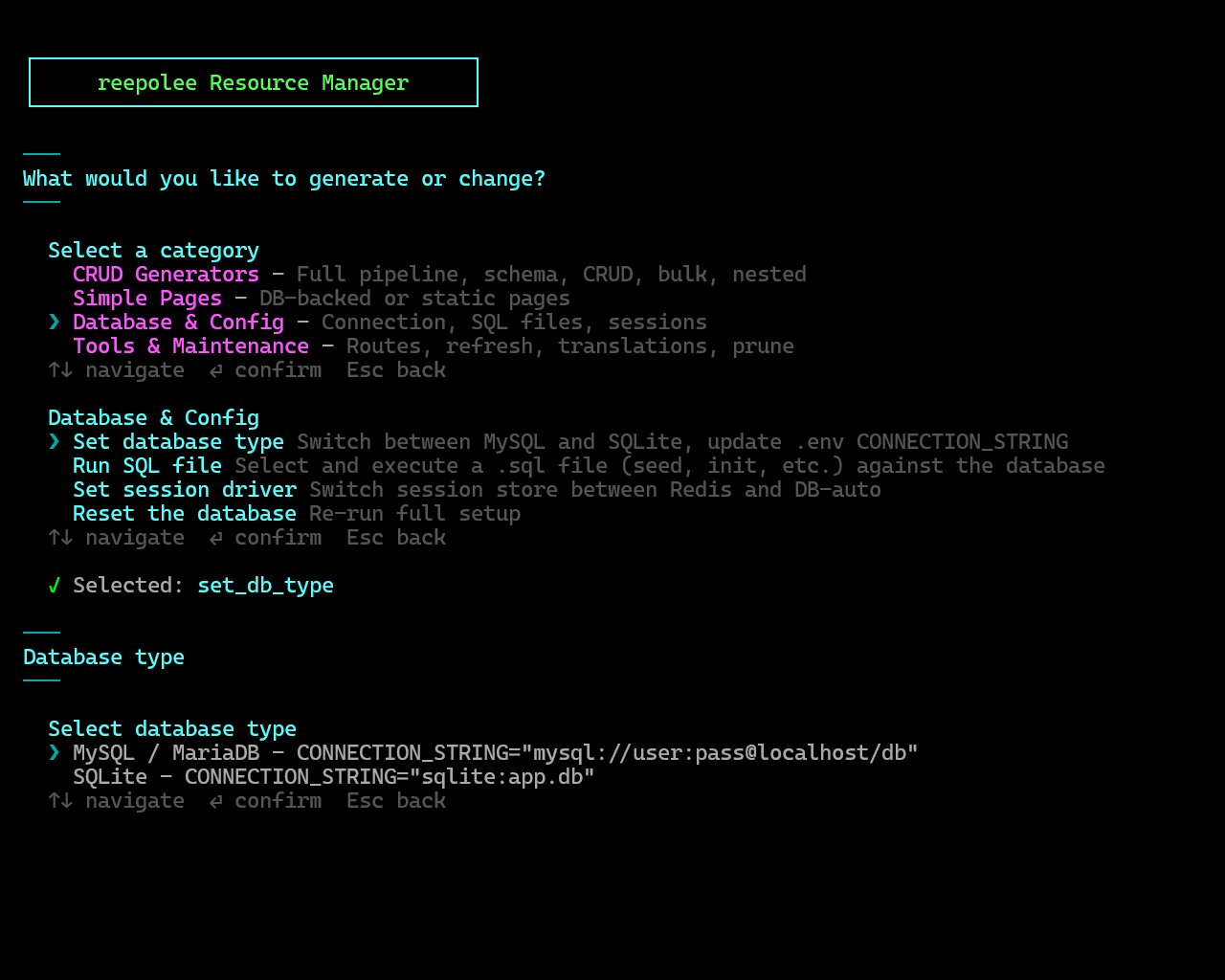
Reepolee ships with first-class support for both SQLite and MySQL. config/db.ts is a single unified file that creates a Bun SQL connection directly from the active connection string - DEV_CONNECTION_STRING in development, PROD_CONNECTION_STRING when started with --prod - and uses its prefix to select timezone configuration:
| Driver | Trigger | When to use |
|---|---|---|
| SQLite | connection string starts with sqlite: | Single-process apps, low to moderate write volume, simple deployment (the database is a single file on disk). The default for development and for many production deployments. |
| MySQL | connection string starts with mysql: | Multi-process or multi-server deployments, higher concurrency, when you already operate MySQL elsewhere. Connects to a separate database server. |
If the active connection string is unset or starts with anything else, config/db.ts exits with a clear error - so a typo gets caught at startup, not on the first query. Switching later is a single .env change; your route handlers, queries, and schema files are identical between the two. Where SQL genuinely differs between engines (fulltext search, for example), that difference is isolated in lib/sql_dialect.ts - a small per-dialect map the generated queries call into, so route code stays dialect-agnostic.
Schema initialization SQL lives under a per-dialect folder: sql/sqlite/ for SQLite and sql/mysql/ for MySQL. Each holds a numbered, ordered set of files - the base schema (01-init-sqlite.sql / 01-init-mysql.sql) followed by optional seed data. UI translations are not seeded through SQL - they live in co-located {locale}.json files (see Translations). Run the files in the folder matching your connection-string prefix, in numeric order, on first setup.
Configuring the Connection
There's nothing to copy. Set the connection string in your .env:
# Development database - the database is a single file
DEV_CONNECTION_STRING="sqlite:app.db"

# Production database - used only with --prod (bun start)
PROD_CONNECTION_STRING="sqlite:app.db"

# MySQL - the connection string for your server (no credentials in it;
# they live in DEV_DB_USERNAME / DEV_DB_PASSWORD below)
# DEV_CONNECTION_STRING="mysql://localhost/reepolee_dev"
# DEV_DB_USERNAME="myuser"
# DEV_DB_PASSWORD="secret"
The MySQL connection string is just the endpoint - credentials go in the separate <ENV>_DB_USERNAME / <ENV>_DB_PASSWORD variables (set to N/A for SQLite), so a secret manager can supply them without touching the endpoint. Embedding a username or password in the string makes the process exit with an error.
The interactive setup tool can flip this for you - run bun reeman, pick Set database type, and it toggles the DEV_CONNECTION_STRING and TEST_CONNECTION_STRING lines in .env between the SQLite and MySQL variants.
When the server boots, config/db.ts inspects the prefix, selects the appropriate timezone constants from its built-in configuration map, and creates a SQL instance. You'll see Using DB SQLITE or Using DB MySQL logged in blue confirming which one loaded.
What the Driver Does on Startup
When the server boots and imports config/db.ts, it:
- Reads the active connection string (
DEV_CONNECTION_STRING, orPROD_CONNECTION_STRINGunder--prod) and determines the database type from its prefix. - Constructs a
SQLinstance withnew SQL(url)- for SQLite it's a path to a file (created automatically on first connect); for MySQL it's a connection to the server. - Exports
dbfor the rest of the application to import.
The driver does not apply your schema automatically. Running the SQL files in sql/sqlite/ or sql/mysql/ is a one-time manual step the first time you stand up the database - see Schema & Initialization for the exact command.
Environment Variables
The two database-related environment variables:
| Variable | Description |
|---|---|
DEV_CONNECTION_STRING | The development connection endpoint for SQLite (sqlite:filename) or MySQL (mysql://host/db - no credentials in the string). Used by bun dev, reeman, the generators, and every script under scripts/. |
DEV_DB_USERNAME / DEV_DB_PASSWORD | MySQL credentials for the dev database, read separately from the connection string. "N/A" for SQLite. |
PROD_CONNECTION_STRING | The production connection endpoint, used only when the server is started with --prod (bun start). |
PROD_DB_USERNAME / PROD_DB_PASSWORD | MySQL credentials for the production database. "N/A" for SQLite. |
TEST_CONNECTION_STRING | The test database endpoint, used by bun test and bun run db:clone-test. Must contain "test" in the DB name. |
TEST_DB_USERNAME / TEST_DB_PASSWORD | MySQL credentials for the test database. "N/A" for SQLite. |
TIME_ZONE | Required for all database types. The timezone used by config/db.ts to configure date/time column handling (Europe/Ljubljana, UTC, etc.). For MySQL connections it is also applied with SET time_zone='...'; for SQLite it drives the timestamp codec. |
The .env file is loaded automatically by Bun - there's no dotenv dependency to install. See Configuration for the complete environment variable list.
Logging Queries
Setting SQL_LOGGING=true in .env enables a per-query NDJSON log at logs/sql.ndjson. Each line is one query with its parameters and execution time - useful for tracing performance hotspots without reaching for a profiler. In production, the log rotates with whatever logrotate policy your server uses; in development it grows freely until you delete it.